
Lookatthecamera,not
Your script, right under your webcam
Prompt Zeppelin is a teleprompter for your Mac. It shows your words just below the camera, a few at a time, so you can read naturally on calls and recordings.
How it works
Write your script
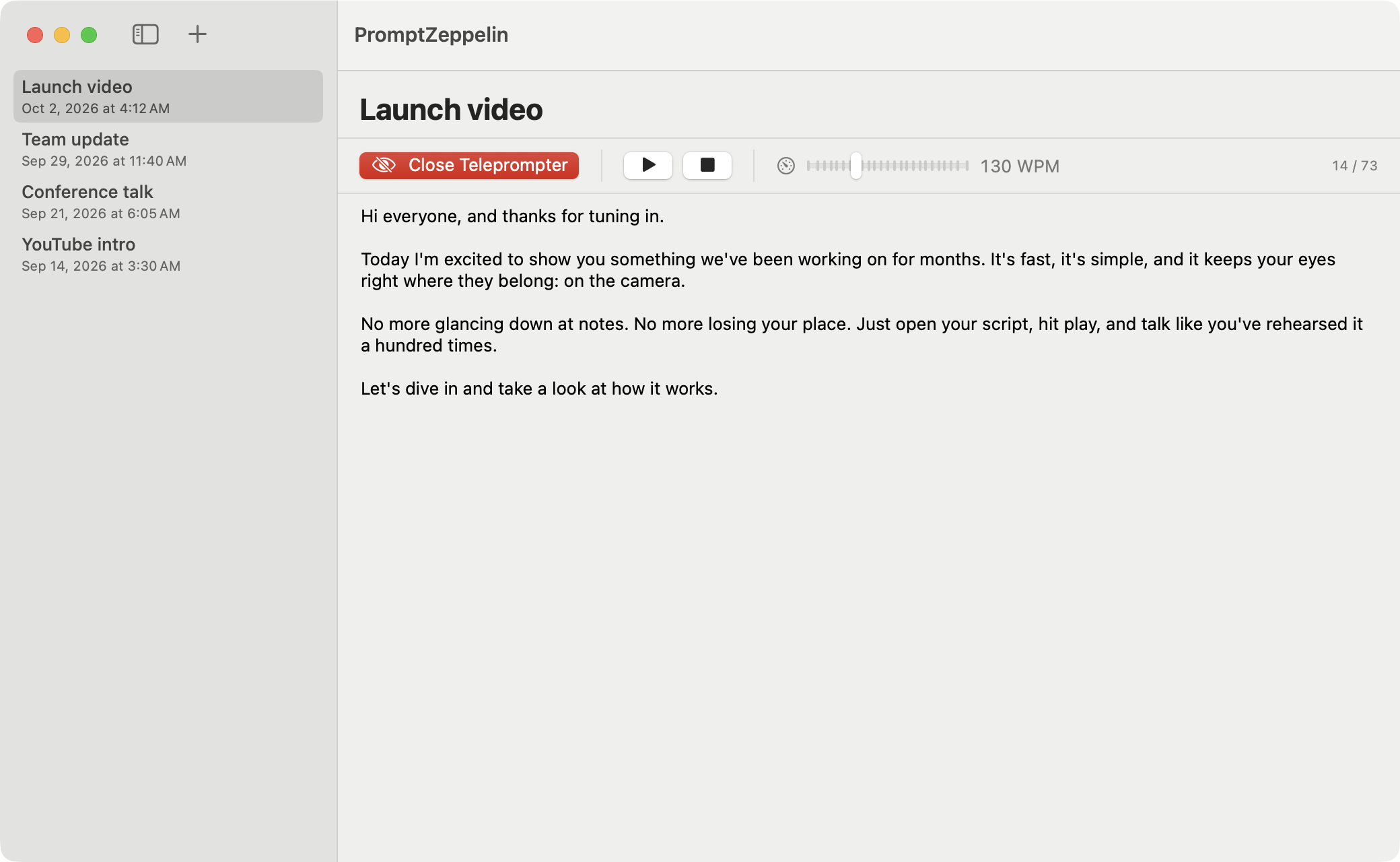
Paste in what you want to say, or type it straight into the editor.
Open the teleprompter
It appears at the top of your screen, just under the camera. Hold Shift and drag to fine-tune where it sits.
Press play
Words move along at the speed you set. Pause, stop or change the speed whenever you need to.
Made for reading on camera

- Sits right under your webcam
- The teleprompter floats at the top of your screen, above every other window and on every desktop, so your eyes stay level with the camera.
- A few words at a time
- The word you're on is bold and the next few are lined up beside it. Your eyes barely move, so nobody can tell you're reading.
- Read at your own pace
- Set the speed anywhere from 60 to 300 words per minute, and adjust it while the script is playing.
- Stays out of your way
- Clicks pass straight through to the app underneath. Hold Shift when you want to move or resize the teleprompter.
- Keep all your scripts
- Write and edit as many scripts as you like. They're saved on your Mac, not in someone else's cloud.
- Built for the Mac
- A small, native app written in Swift for macOS 14 Sonoma and later. Press Space to play or pause.
Download
Prompt Zeppelin isn't ready to download just yet. Follow the project on GitHub to hear when it is, or build it yourself today.
Build it yourself
You'll need macOS 14 or later, Xcode 16 and XcodeGen.
brew install xcodegen
git clone https://github.com/Codercise/prompt-zeppelin.git
cd prompt-zeppelin
xcodegen generate
open PromptZeppelin.xcodeproj
Then press Run in Xcode.